How To Create an Account

All content shared on this site—including posts, discussions, files, opinions, charts, strategies, walkthroughs, videos, or examples—is provided solely for educational and informational purposes. Nothing presented constitutes financial advice, investment advice, legal advice, or a recommendation to buy, sell, or invest in any financial instrument or managed account. Capital 8 Trading is demonstrating how trading platforms and PAMM systems function based on our own usage, not instructing or encouraging participation. Trading Forex and other leveraged instruments involves significant risk, including the potential loss of all invested capital. You are solely responsible for your trading decisions, broker selection, account setup, and risk management. You should conduct your own due diligence and seek independent professional advice before making any financial decisions.
Step 1: Open an Account with Plexytrade
Watch the video on this section for a step-by-step demonstration of how to open a broker account.
The broker shown (PlexyTrade) is the one we personally use. This is shared for educational and transparency purposes only and does not constitute a recommendation or endorsement. You are free to choose any broker.
Use the link below if you wish to open an account.
Step 2: Create an Investor Account
To access PAMM functionality on the platform, an Investor Account is required. Watch the video for a walkthrough of the setup process. For educational reference only, the PAMM account we use is identified as Capital8F2, Account Number: 80070703.
PAMM accounts can be searched by name or account number. Viewing a PAMM does not imply a recommendation or obligation to connect.
If you use the link below while logged into PlexyTrade, it will take you directly to the PAMM account shown for identification purposes.
Step 3: Fund the Account
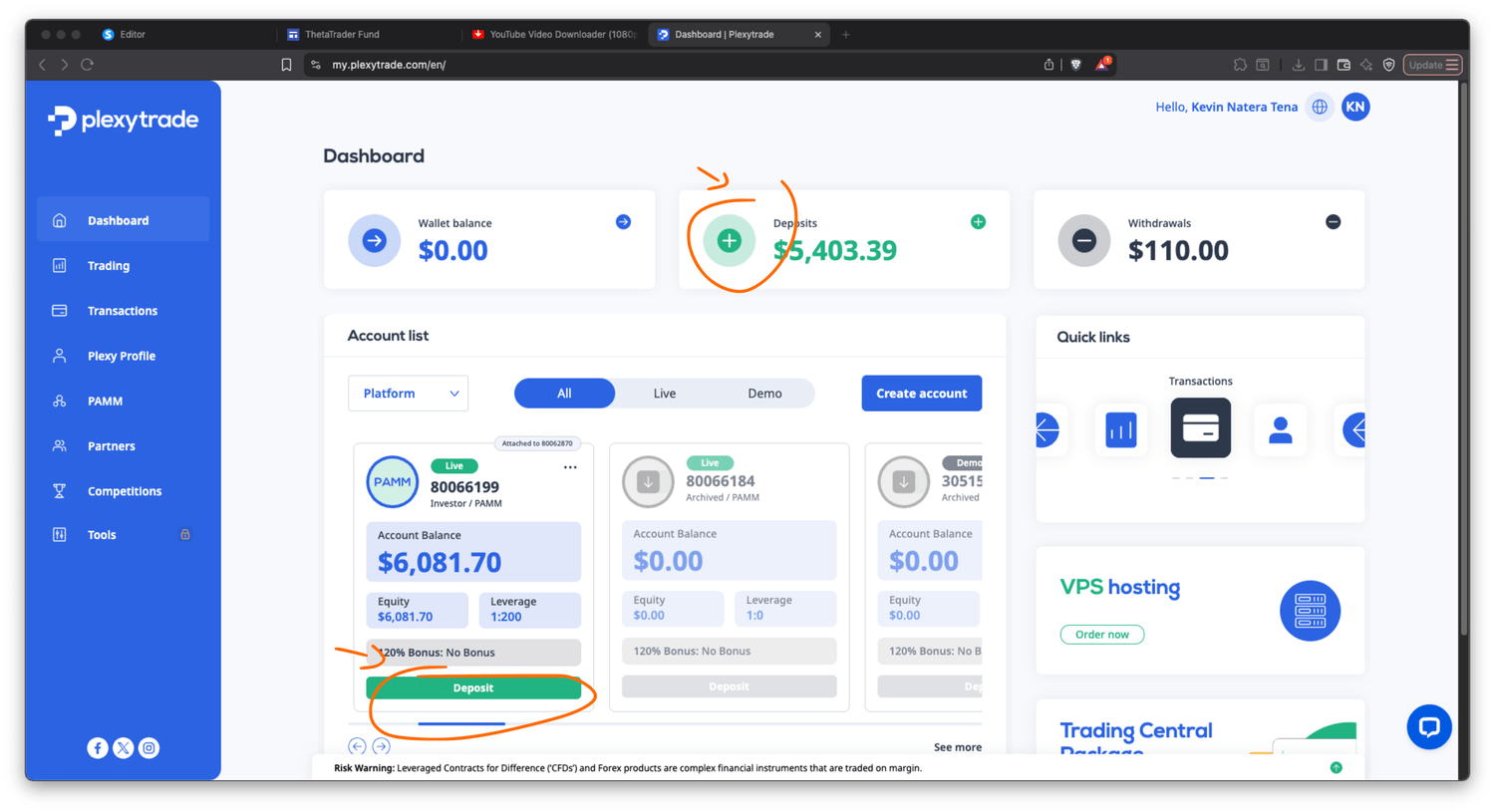
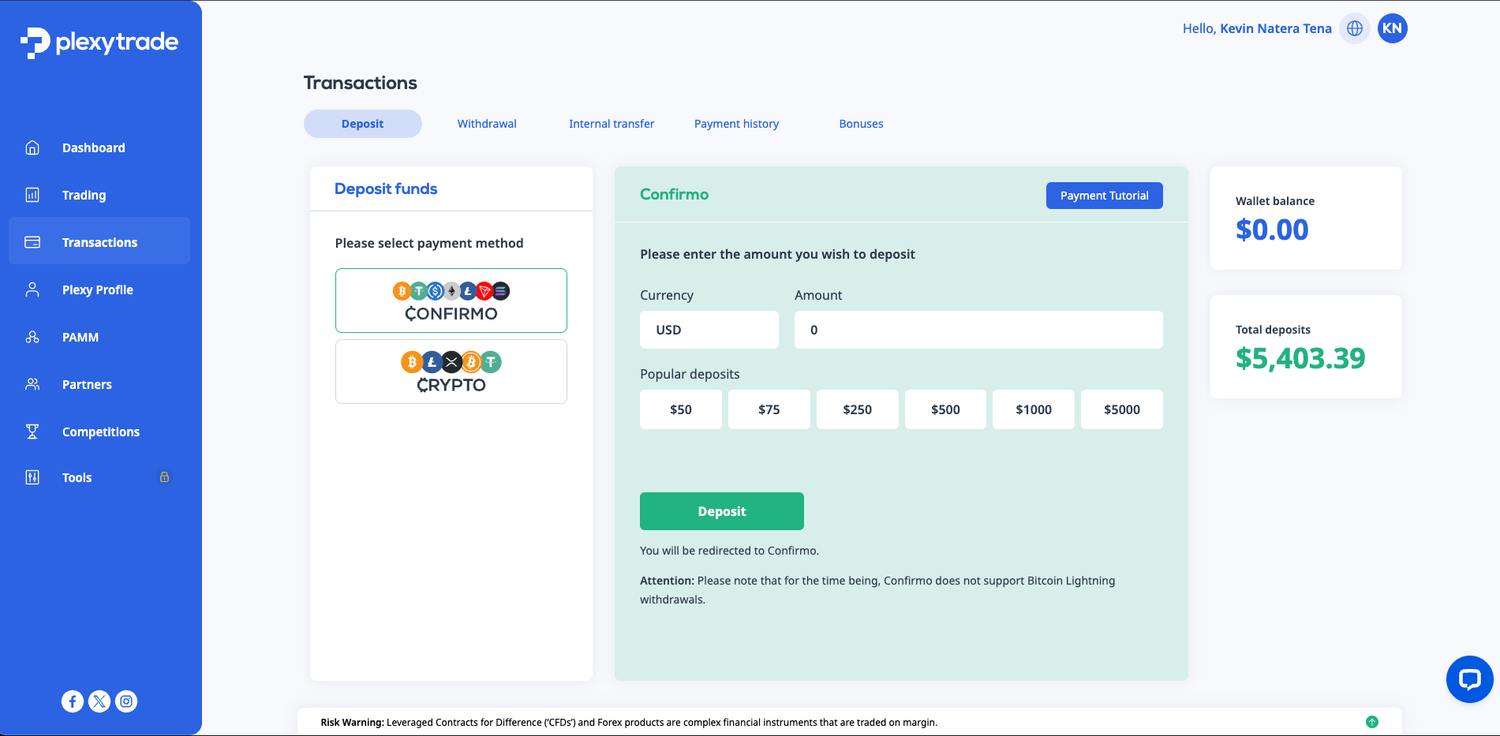
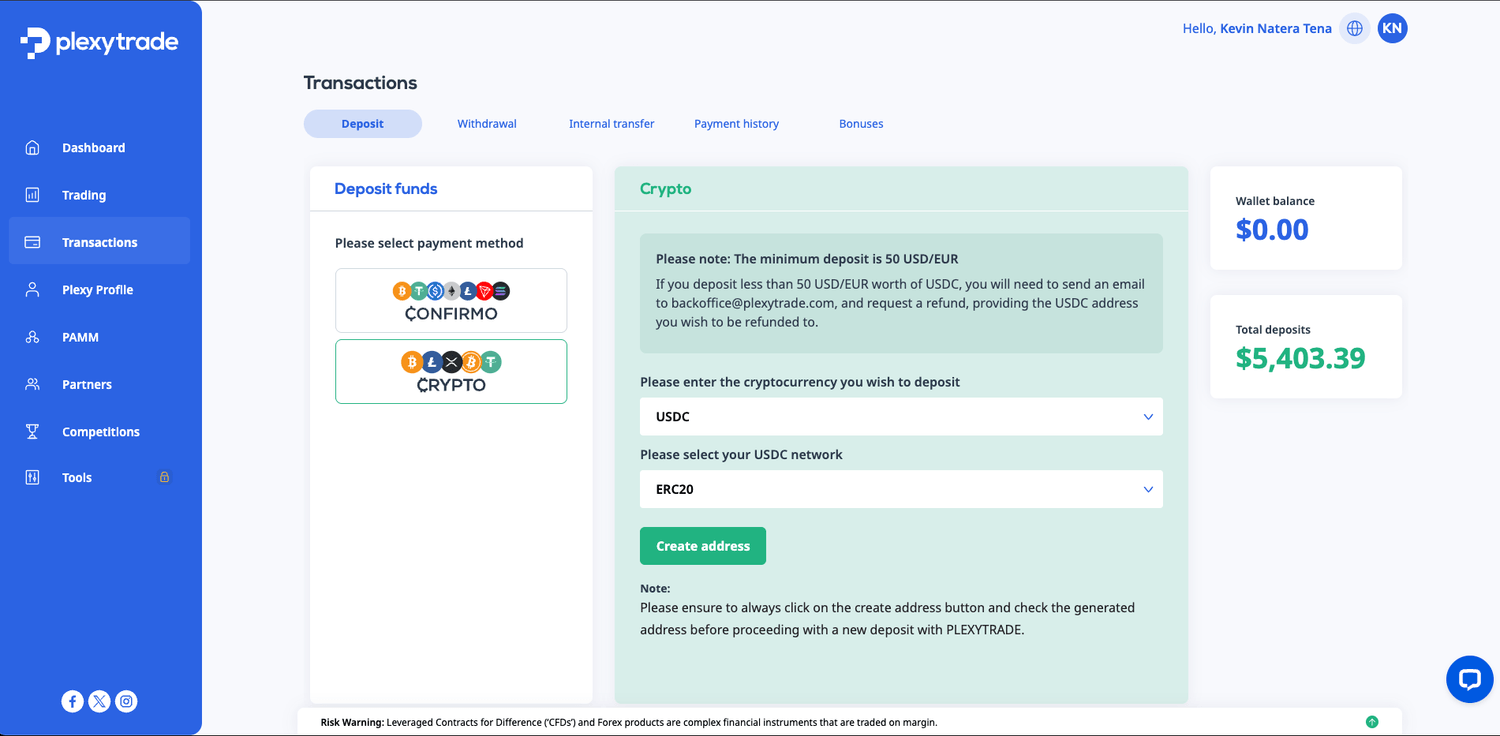
This step demonstrates how funding generally works on the platform.Deposits can typically be made to the platform wallet or directly to the trading account using cryptocurrency. The general process is:
Select Deposit
Generate a deposit address
Transfer funds
Wait for confirmation
Availability and processing times are determined by the broker. See images for reference.
Step 4: Connect the account to a PAMM
To connect an Investor Account to a PAMM, the general process is the following:
1. Open the PAMM section in the menu
2. Search by name or account number (many PAMMs are available—conduct your own due diligence)
3. Click Invest and follow the prompts. Minimum balance requirements are set by the PAMM and enforced by the broker.
If logged in, the button below links directly to the PAMM shown in this example.
Step 5: Review Your Performance
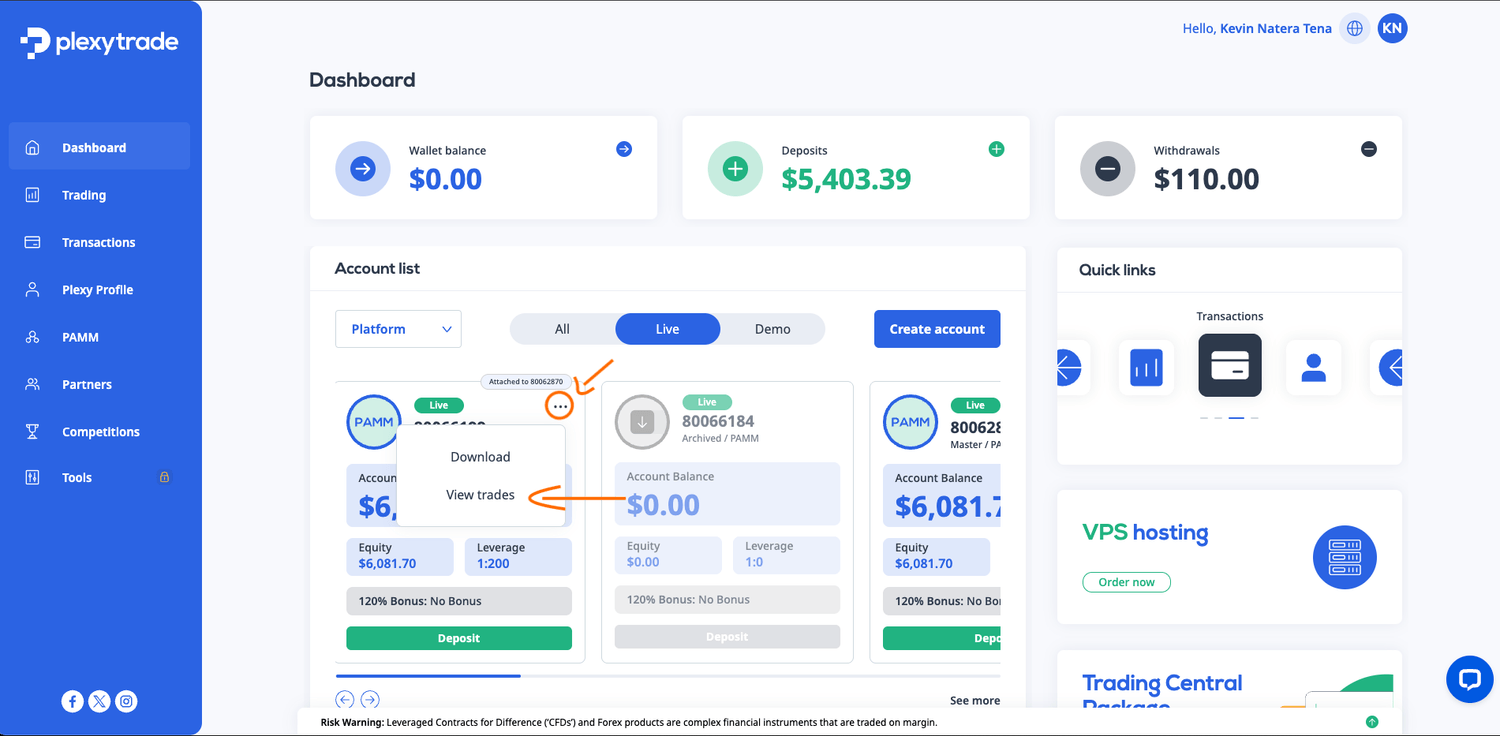
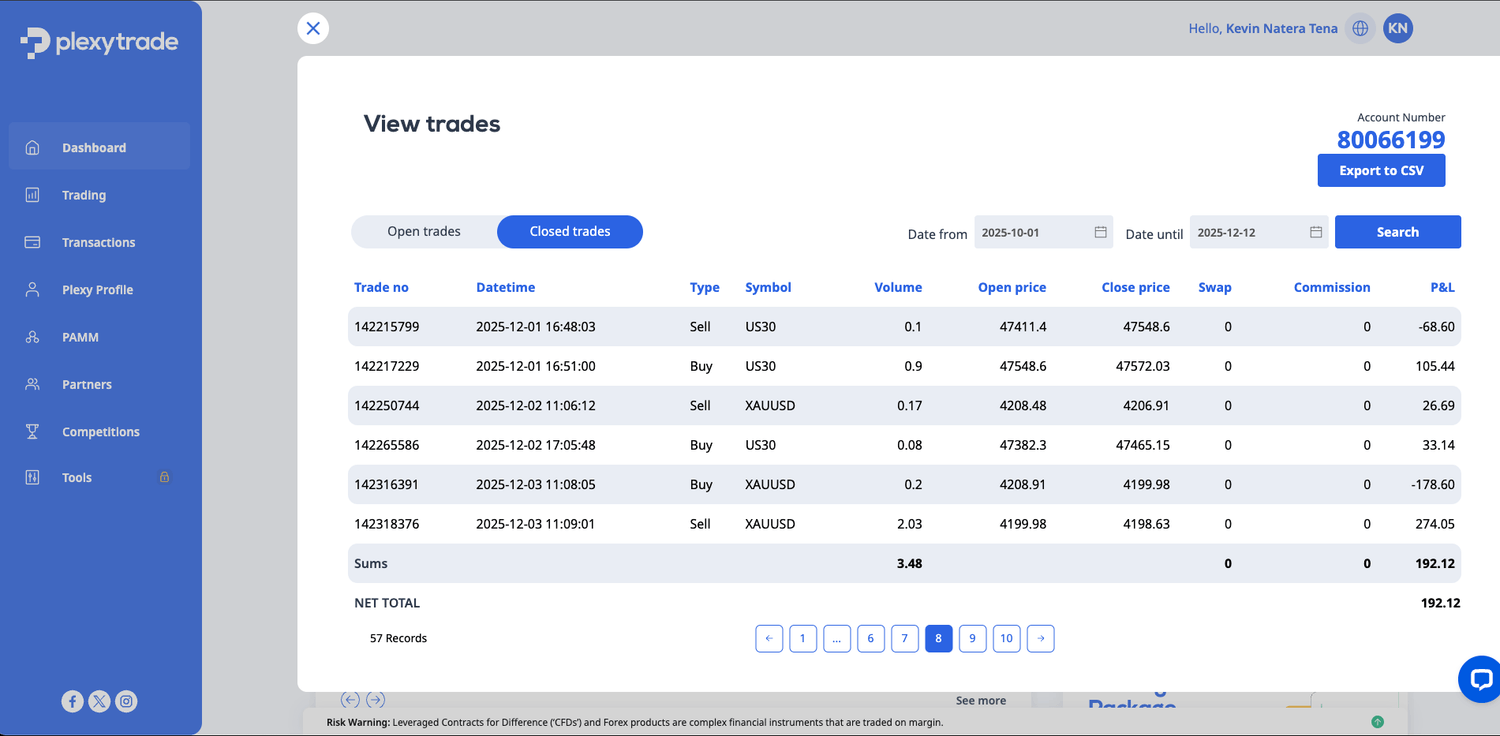
Investor Account trade history can typically be viewed by accessing the account options menu and selecting View Trades.
This section shows how users can review open positions and historical trade activity within the platform interface. Trade visibility and reporting features are provided by the broker for transparency. See images for reference.
Step 6: How to Withdraw
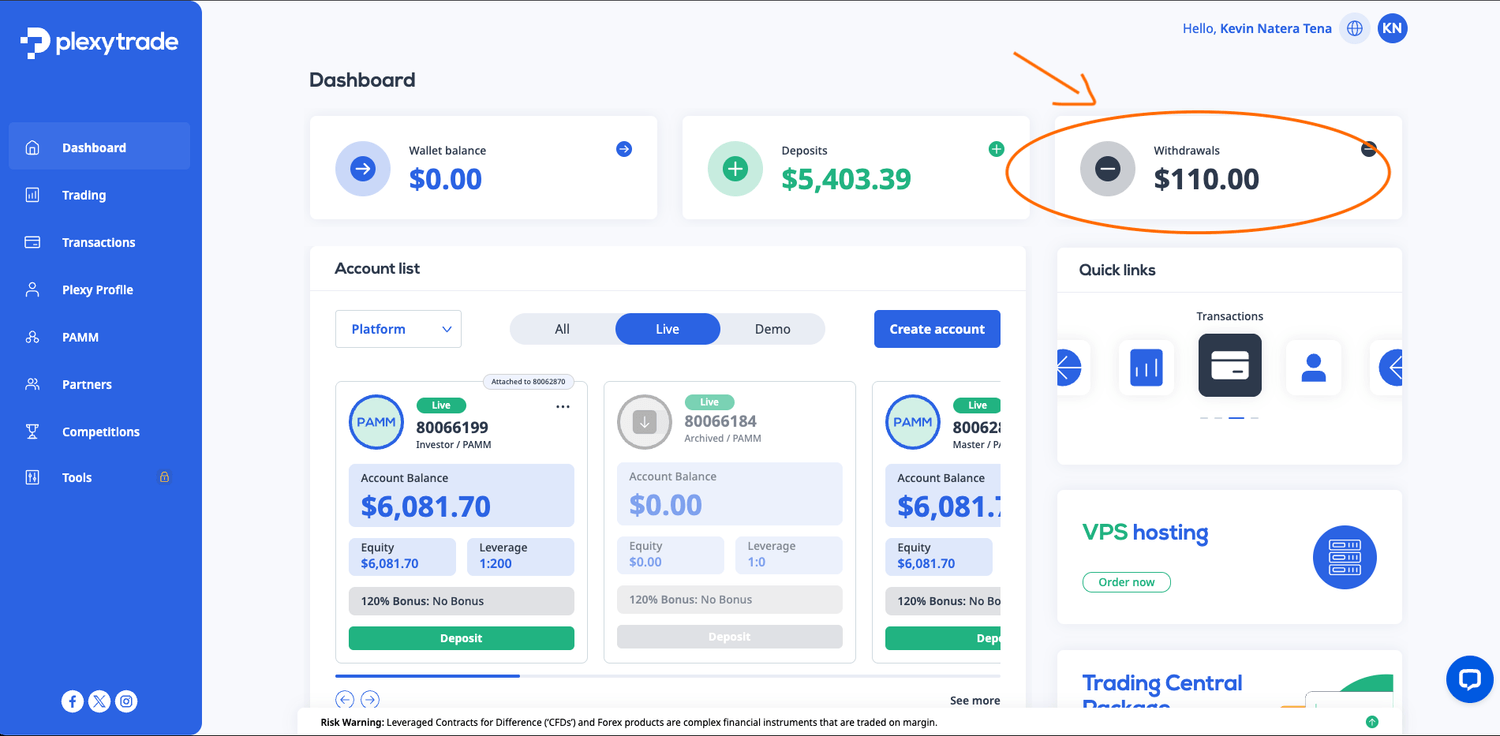
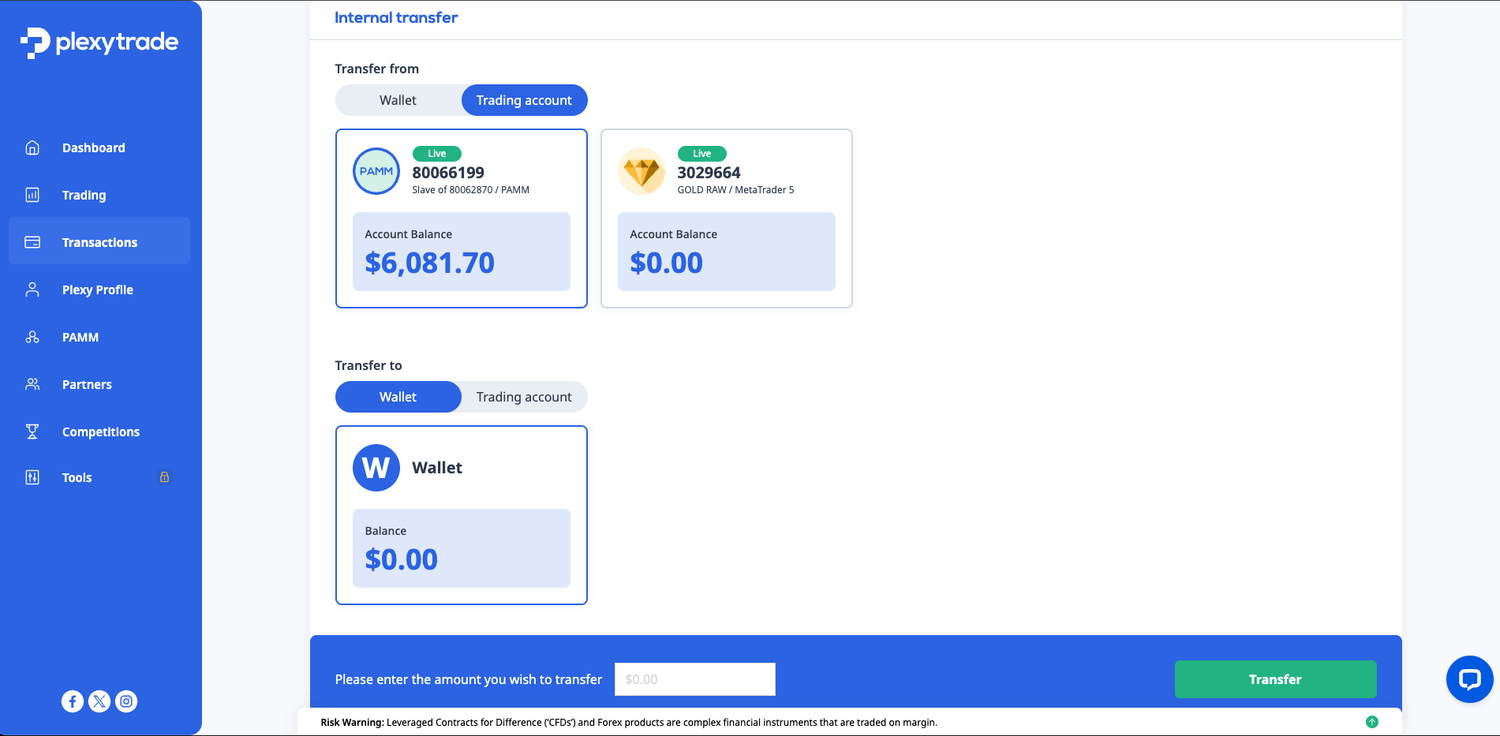
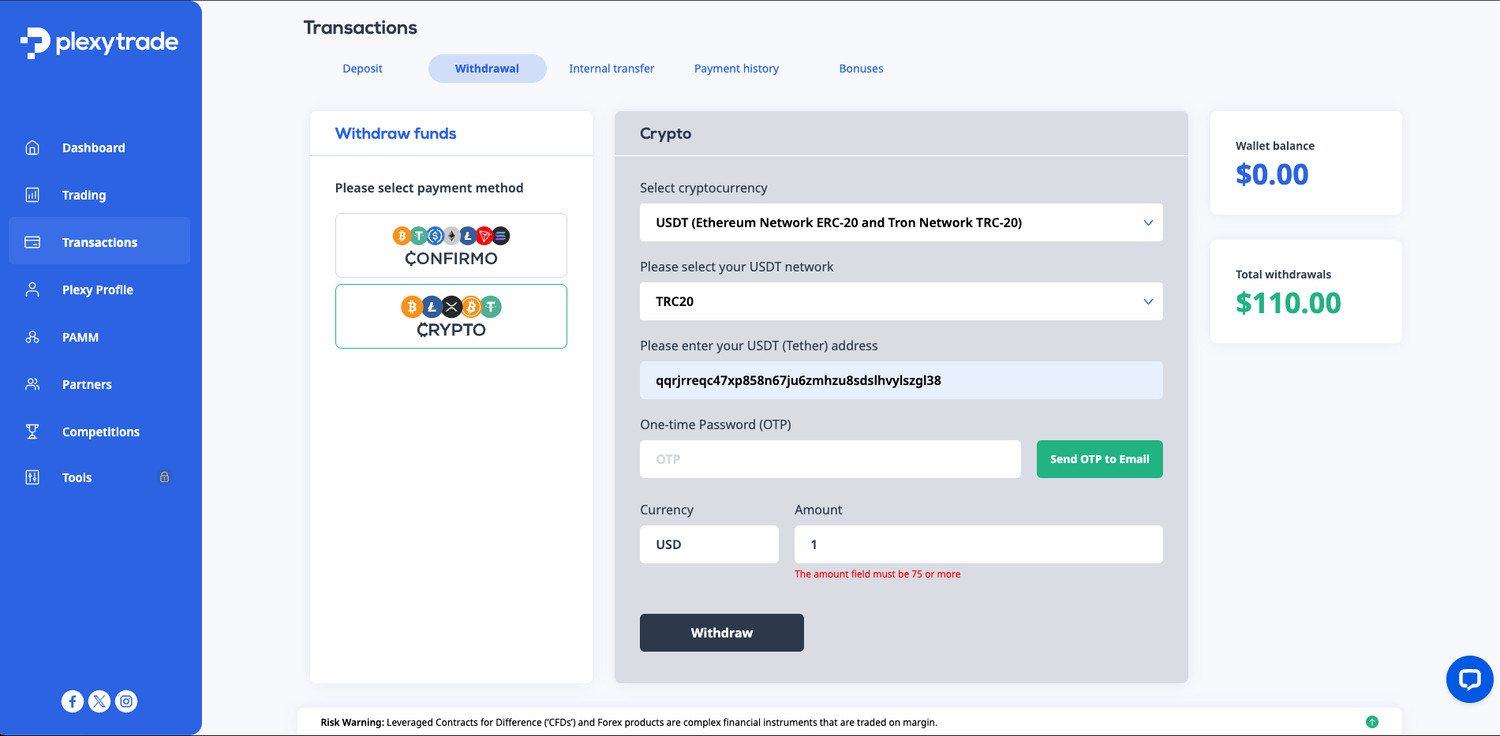
Withdrawals typically involve:
1. Transferring funds from the Investor Account to the platform wallet
2. Requesting an external withdrawal to your personal wallet
Processing times and availability are determined by the broker and applicable networks.
© 2025 Capital 8 Trading. All Rights Reserved. Risk Warning: Trading Forex and leveraged financial instruments involves substantial risk and may result in the loss of all invested capital. Content provided by Capital 8 Trading is for educational and informational purposes only and does not constitute financial or investment advice, nor a solicitation. Past performance is not indicative of future results.
Broker and PAMM information is provided for educational purposes only and does not constitute a recommendation or endorsement. All trading decisions and account choices are made at your own risk. By accessing this website or using its content, you agree to the Terms of Use, Risk Disclosure, and Privacy Policy, and agree to hold harmless and release Capital 8 Trading, its owners, operators, and affiliates from any liability arising from the use of this site or its content. Click here for full [Terms of Use & Risk Disclosure].